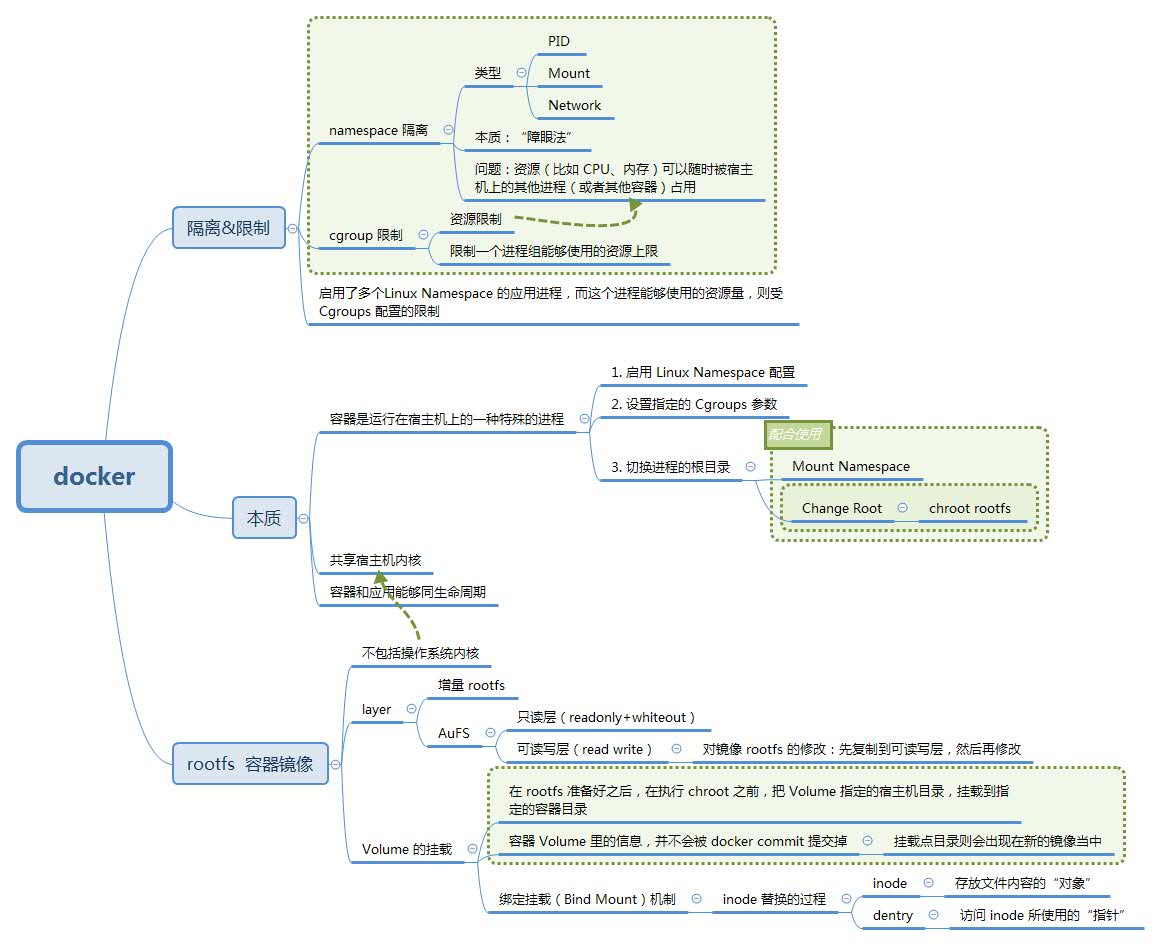
一. docker全景图#
docker全景图
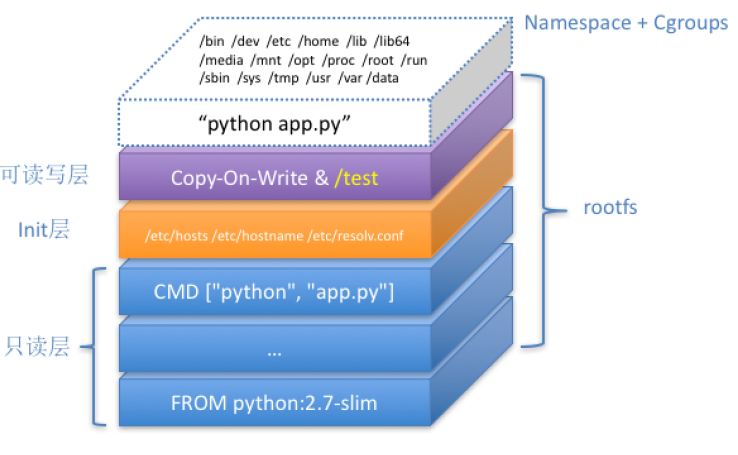
1 | $find /var/lib/docker/ -name image /// [只读层] |
二. docker namespace#
1 | [root@10-25-152-177 ~]# docker inspect --format '{{ .State.Pid }}' 23dfea495611 |
三. docker run的背后 [6]#
1 | $ docker run -i -t ubuntu /bin/bash |
When you run this command, the following happens (assuming you are using the default registry configuration):
If you do not have the ubuntu image locally, Docker pulls it from your configured registry, as though you had run docker pull ubuntu manually.
Docker creates a new container, as though you had run a docker container create command manually.
Docker allocates a read-write filesystem to the container, as its final layer. This allows a running container to create or modify files and directories in its local filesystem.
Docker creates a network interface to connect the container to the default network, since you did not specify any networking options. This includes assigning an IP address to the container. By default, containers can connect to external networks using the host machine’s network connection.
Docker starts the container and executes /bin/bash. Because the container is running interactively and attached to your terminal (due to the -i and -t flags), you can provide input using your keyboard while the output is logged to your terminal.
When you type exit to terminate the /bin/bash command, the container stops but is not removed. You can start it again or remove it.
参考:#
深入剖析Kubernetes 张磊
- 《05 白话容器基础(一):从进程说开去》
- 《06 白话容器基础(二):隔离与限制》 张磊
- 《07 白话容器基础(三):深入理解容器镜像》
- 《08 白话容器基础(四):重新认识Docker容器》